
08.09.2024
Workflow optimization within Figma
Working as a product designer in a big team like OKX can get pretty crazy at times, especially when you've got project stakeholders ranging from engineers to a whole bunch of product managers and reviewers. So, I wanted to share a little story with you about how I, as a designer, shook things up in our Figma routine that reduce communication cost.
File as the center for discussions
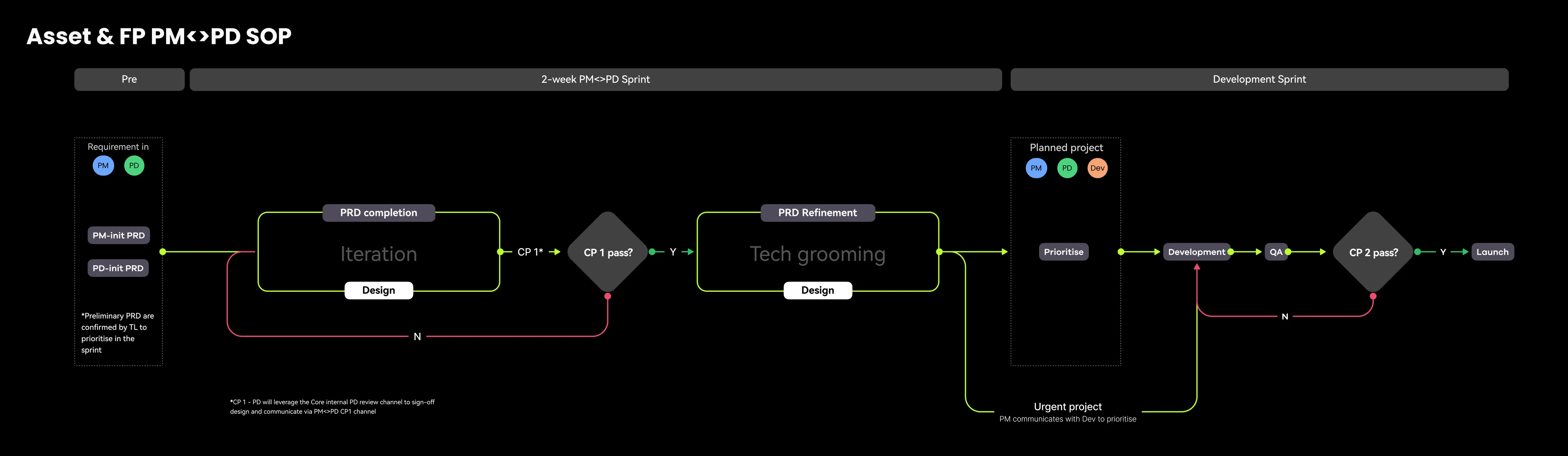
In our dynamic design process, product designers work with PMs, developers, and content designers to orchestrate end-to-end processes. Here, the Figma file stands as the center, facilitating clear communication including:
Apart from grooming sessions and major meeting updates, we heavily rely on Figma files to self-explain the process. Therefore, ensuring the file structure and communication are clear and effective is crucial.
- Project version control: For designers & PM's to track version updates, comments & records
- Project scope: Compare new design with production version
- Project status: Whether it is ready for development or not
Problem of our existing practices
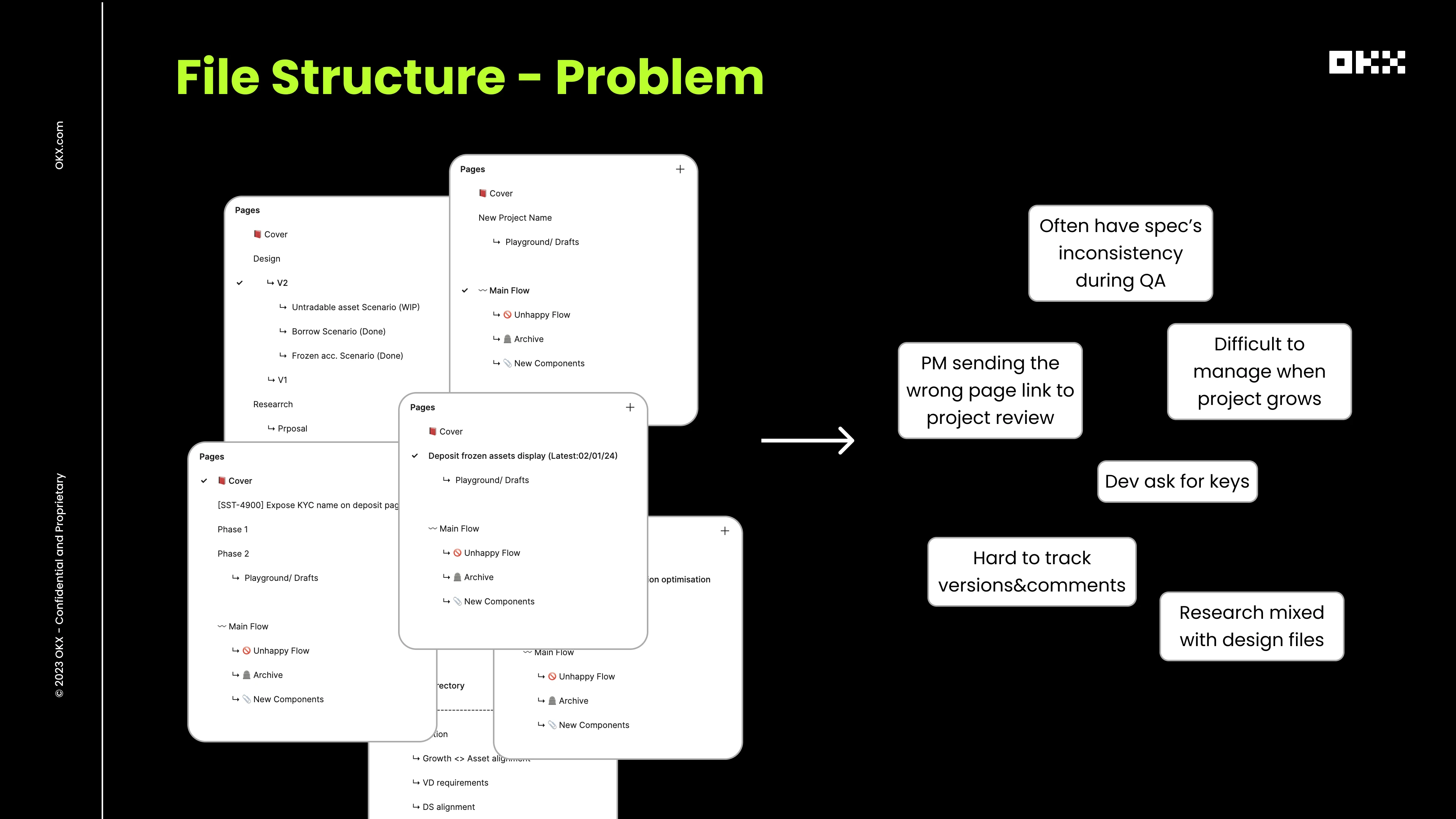
After observing our day-to-day processes, I noticed several FAQs in every group chat, inquiring about the latest design versions and content keys. Additionally, I identified several human errors as outlined below:
A file structure that get everyone onboarded
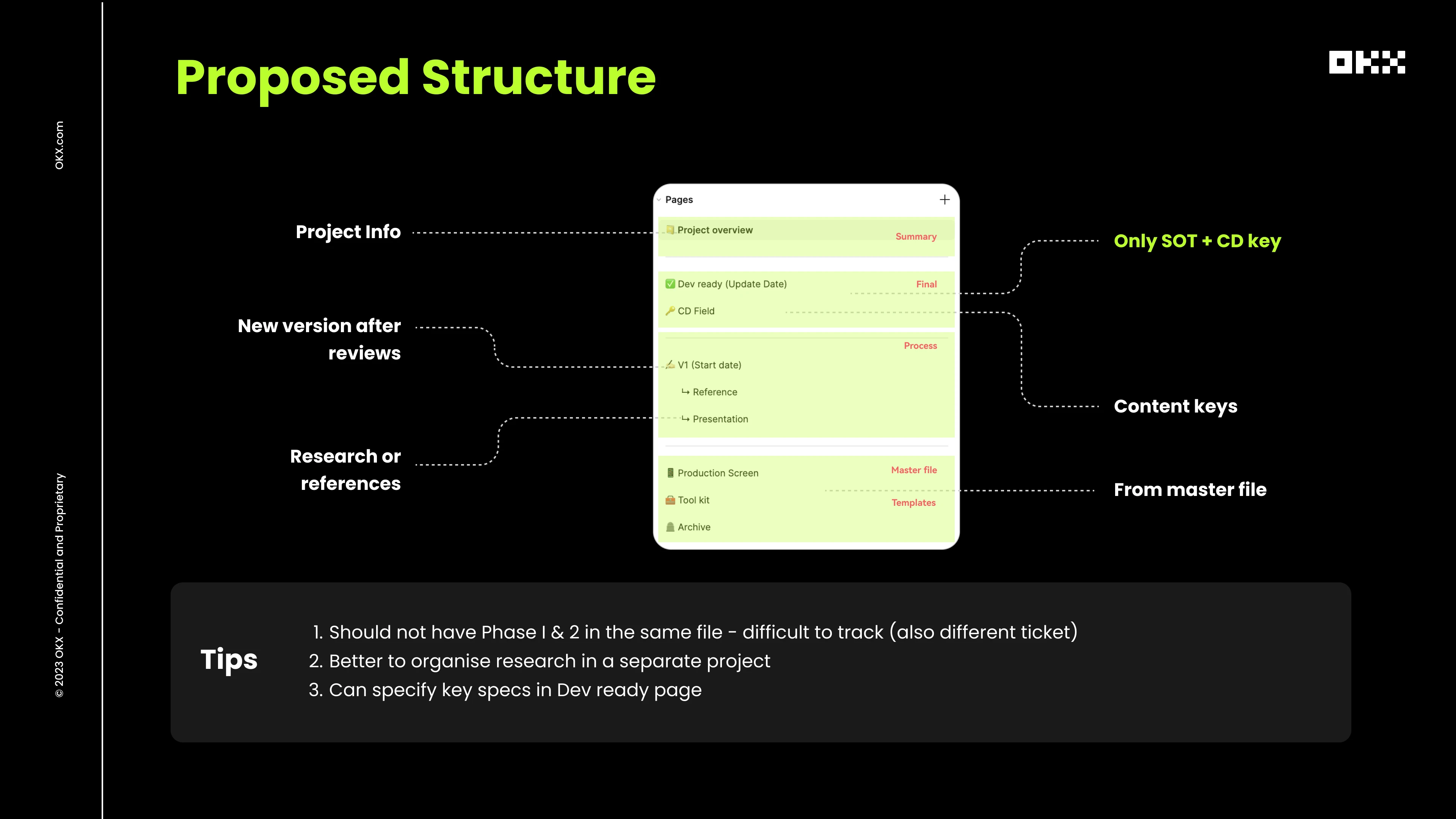
Therefore, I started by studying file management practices at various tech companies and discovered that a well-organized structure that onboards every stakeholder should adhere to the following principles:
- Consistency: Minimizing redundant information delivery at the inception of each new project.
- Scalability: A structure that can adapt seamlessly from large to medium to small projects.
- Collaborative: Enabling not just designers to craft designs but also involving content creators, project managers, and developers in the co-creation process.
*I distinctly recall an article by Deliveroo that treated internal practices as a product worthy of research and study. Kudos to the designers at Deliveroo for their insightful work.
My Proposal of new practices
In the end, I presented a proposal to my manager at OKX, outlining several significant updates and offering implementation tips. Moreover, I conducted mini briefing sessions with my team to ensure the proper implementation of these practices.
Implementation results
After a few weeks of trial implementation, we received positive feedback from the team, which fostered a more collaborative and efficient process.
Next steps
However, our journey doesn't end here. Given the dynamic nature of our team, I believe that moving forward, designers should remain vigilant about overall team practices to ensure that our file management system remains robust and doesn't hinder efficiency.