
2022
Re-usable filter widget for insurance underwriters
Optimized Bowtie's internal portal efficiency by replacing manual browser-bookmark workarounds with a searchable, re-usable filter.
- Client
- Bowtie Life Insurance Company
- Role
- Product designer intern
- Stakeholder
- 1*UX strategist | 1*Engineering lead | 1*PM
Background
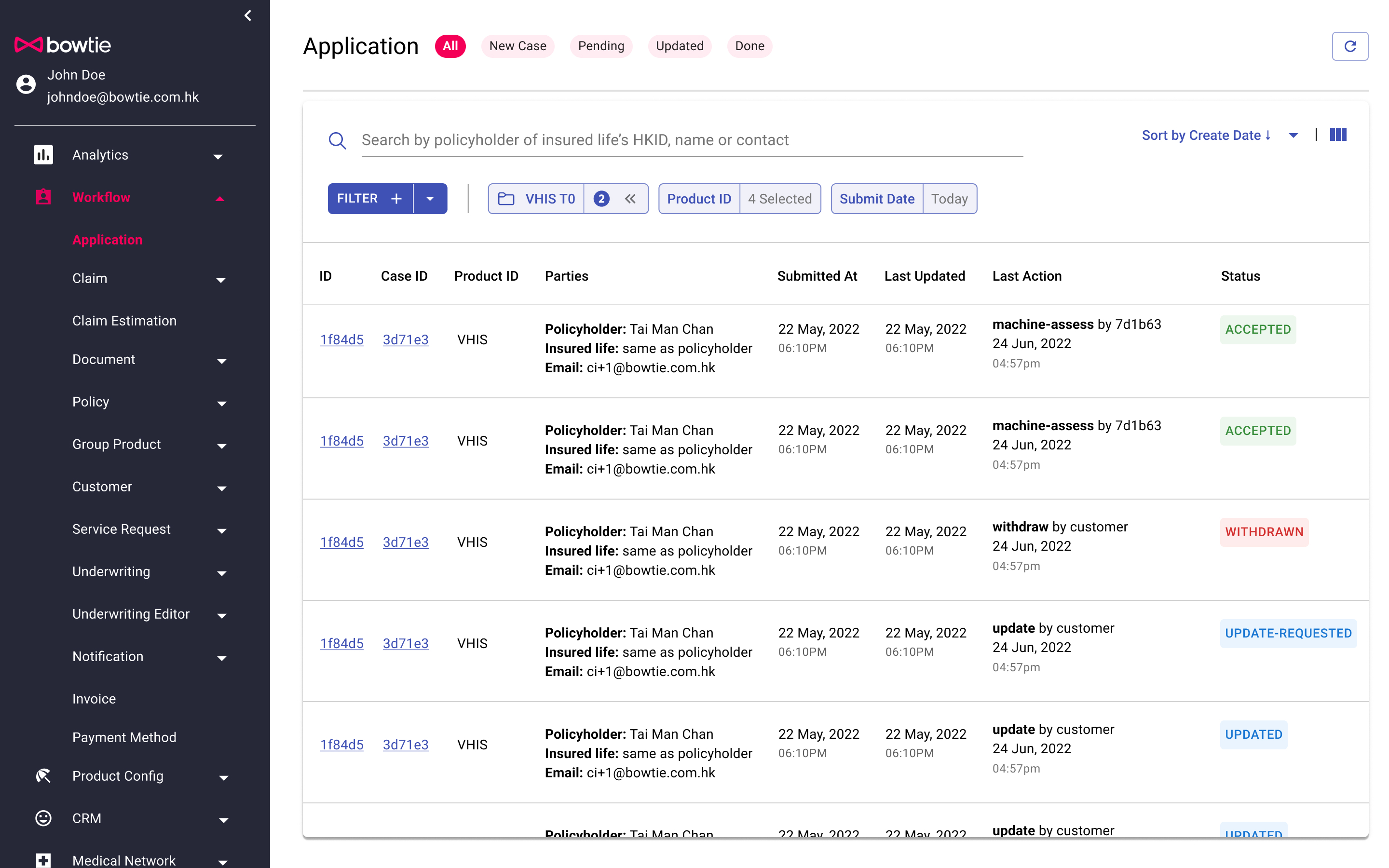
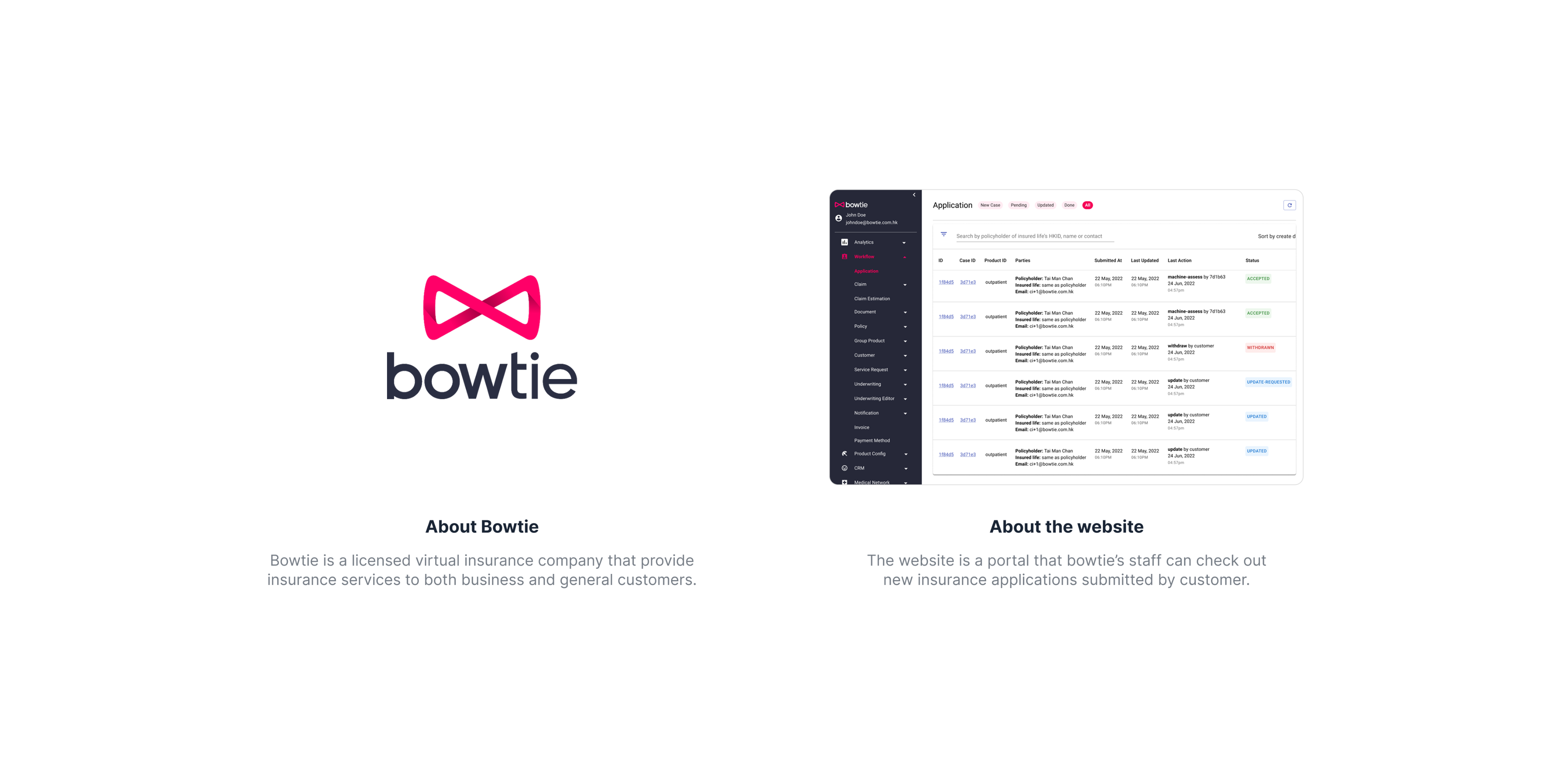
Bowtie, a licensed virtual insurance company, relies on an internal portal where staff manage and review customer insurance applications.
The project goal was simple: help underwriters find the right items faster so they could process more cases within their daily workflows.
Pain-point → Hidden friction of finding applications
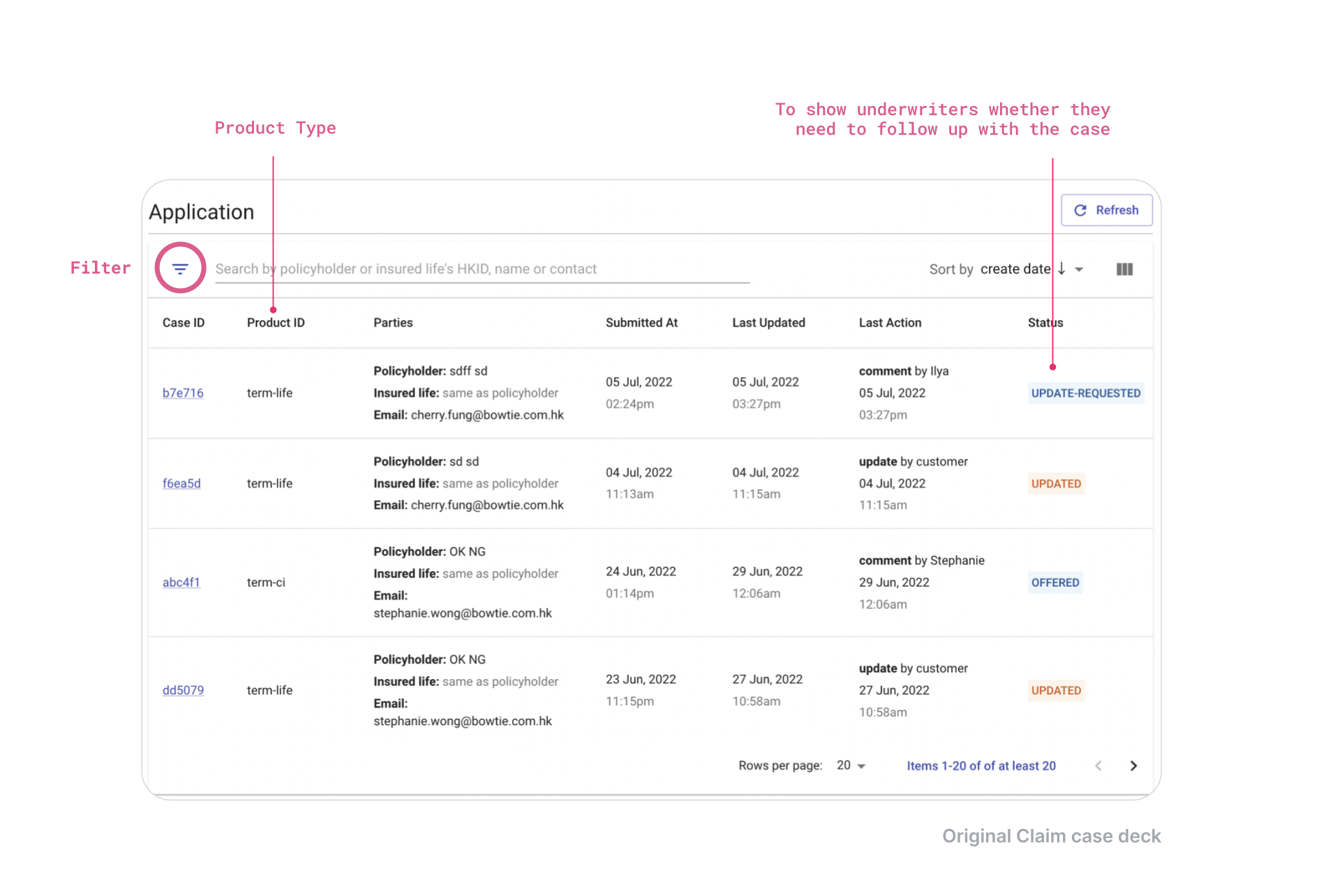
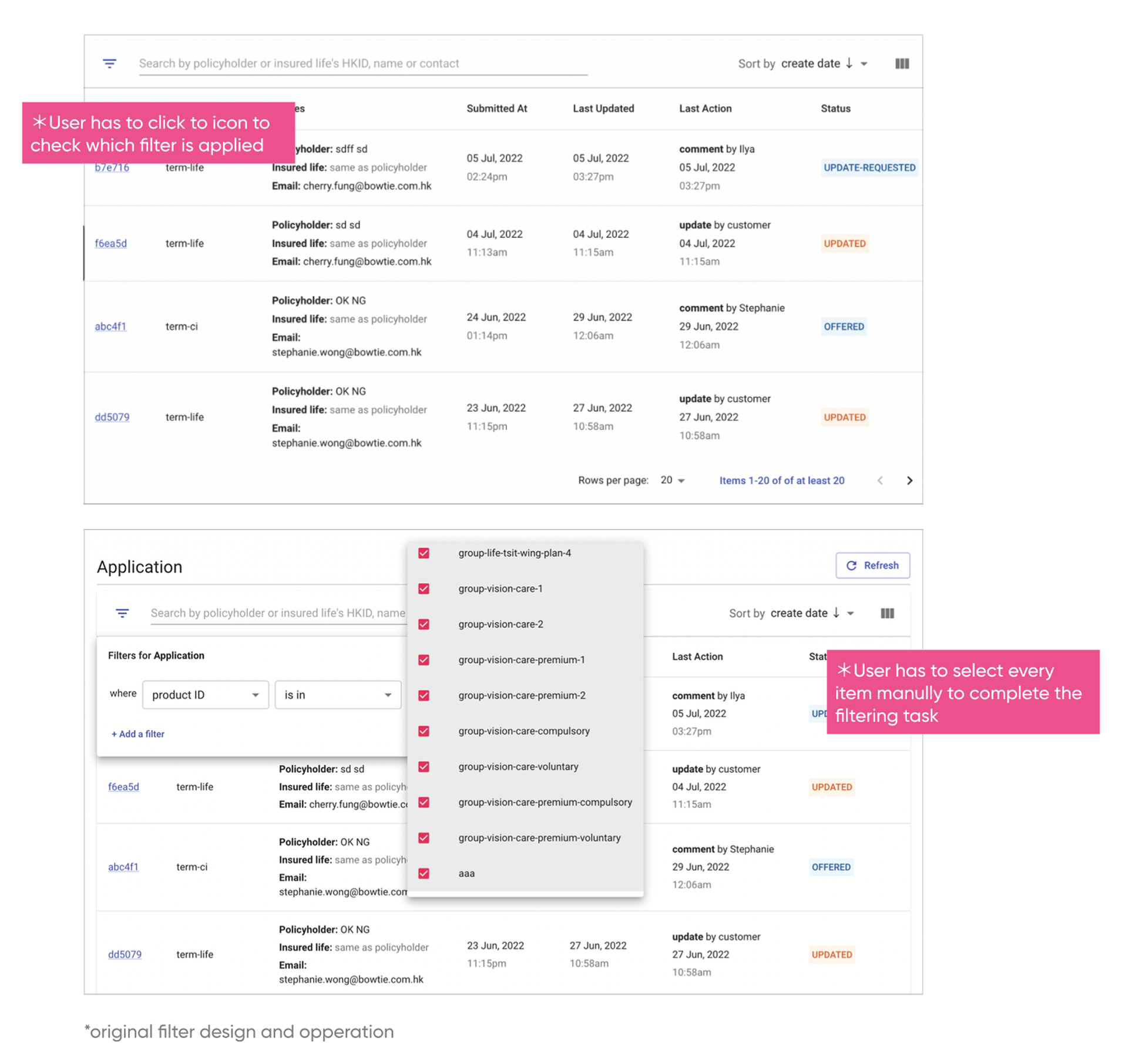
Underwriters and claims specialists were spending the majority of their day navigating long lists of applications. We discovered that the existing filter function was so unintuitive and cumbersome that users had developed their own workarounds:
- The manual grind: Users had to click multiple times and scroll through endless lists just to adjust a single parameter.
- The bookmark hack: To save time, staff were saving specific filtered search results as browser bookmarks in Google Chrome.
- Maintenance debt: Every time a new product was launched, every underwriter had to manually update every single one of their bookmarks.
Early ideas → A re-usable filter group
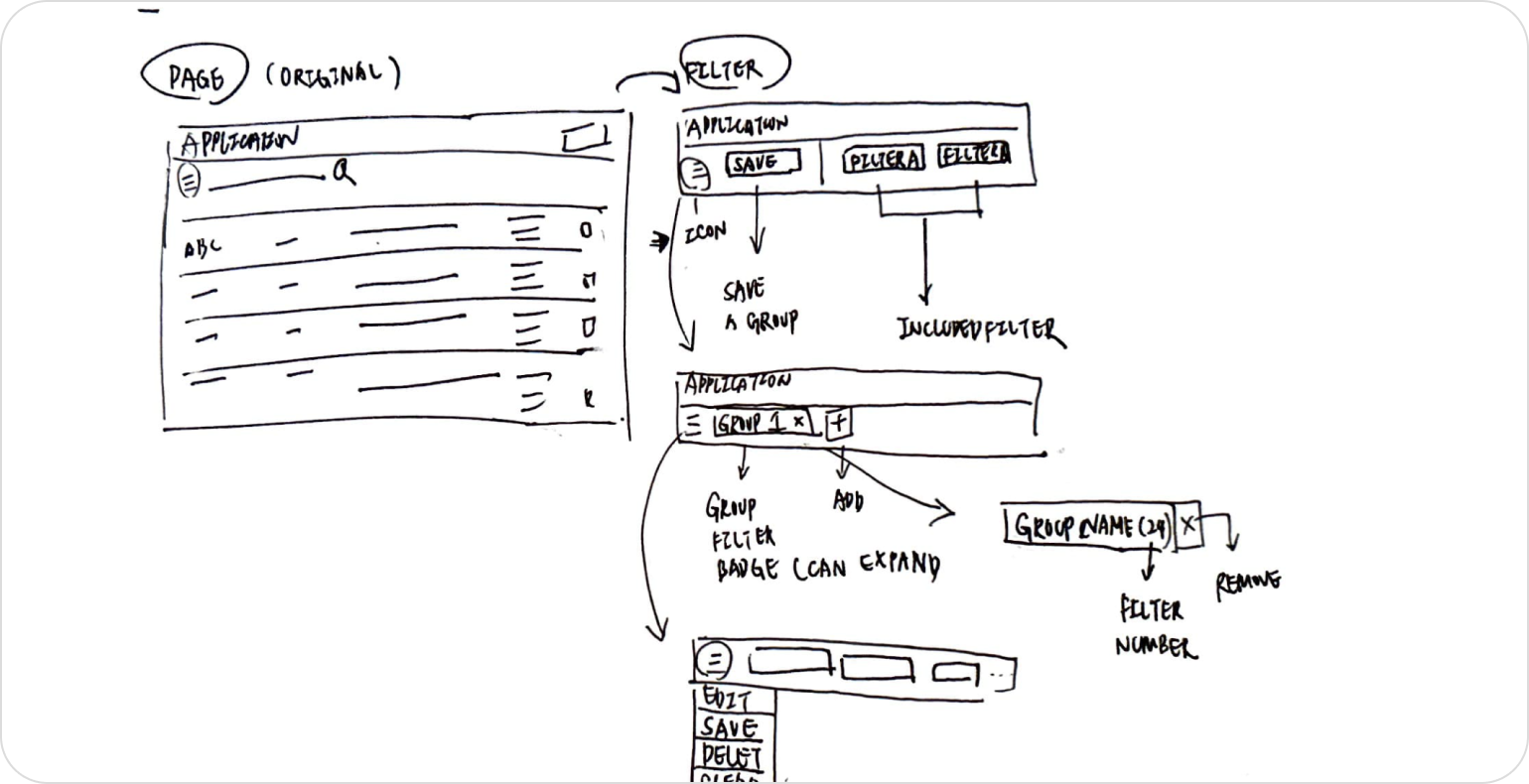
Since each underwriter is responsible for a specific category of applications, filters should be reusable and shareable across accounts. With this in mind, I developed early concepts for what this could look like.
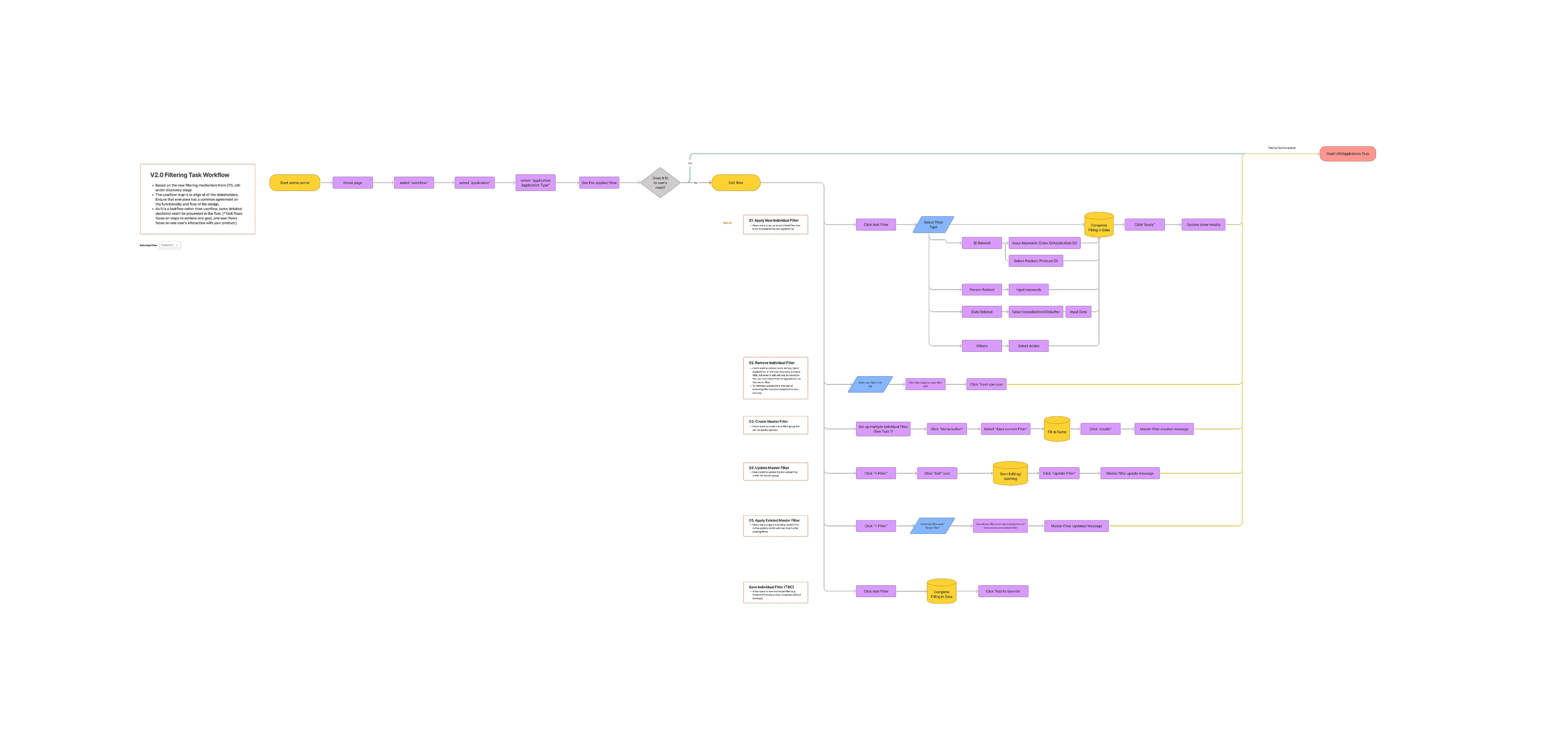
Over two weeks of iteration, I also developed a new flowchart to align the scrum team and clarify the navigation through five core filter functions.
Evaluate ideas through user testing
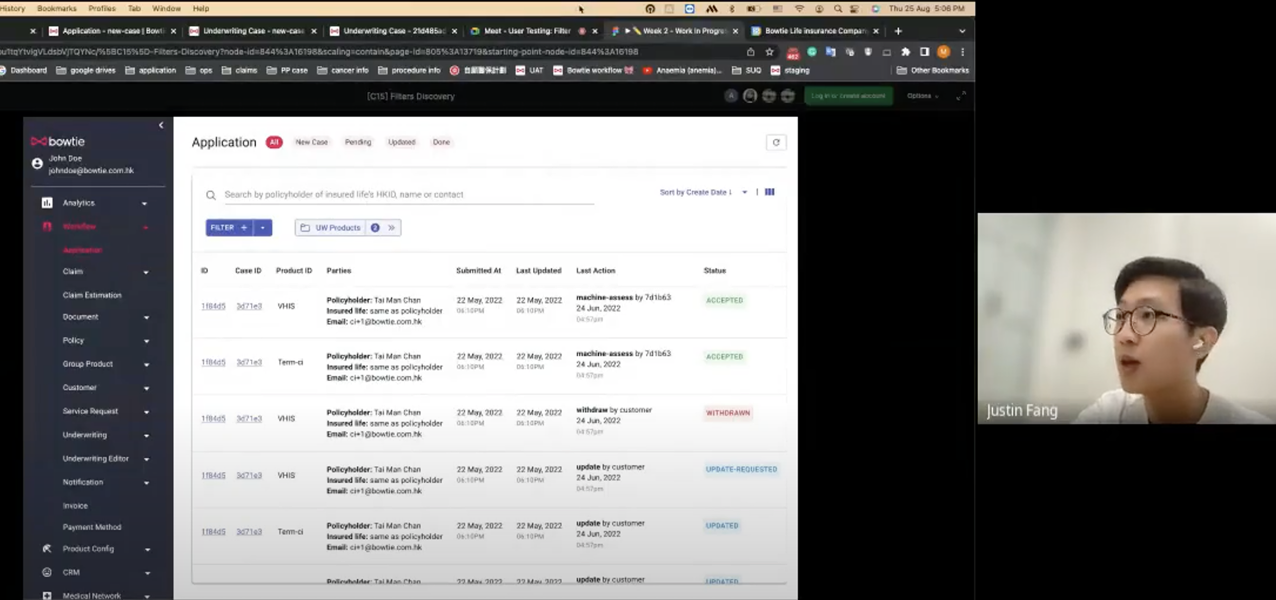
To verify my idea, I conducted scenario-based user interviews with 3 underwriters to understand their exact thought processes while searching for cases. I mapped out their tasks, like finding all VHIS applications created on a specific day, to see if my designs were sustainable.
Introducing Re-usable Filter Groups
The redesign focused on two major functional improvements that eliminated the need for browser workarounds:
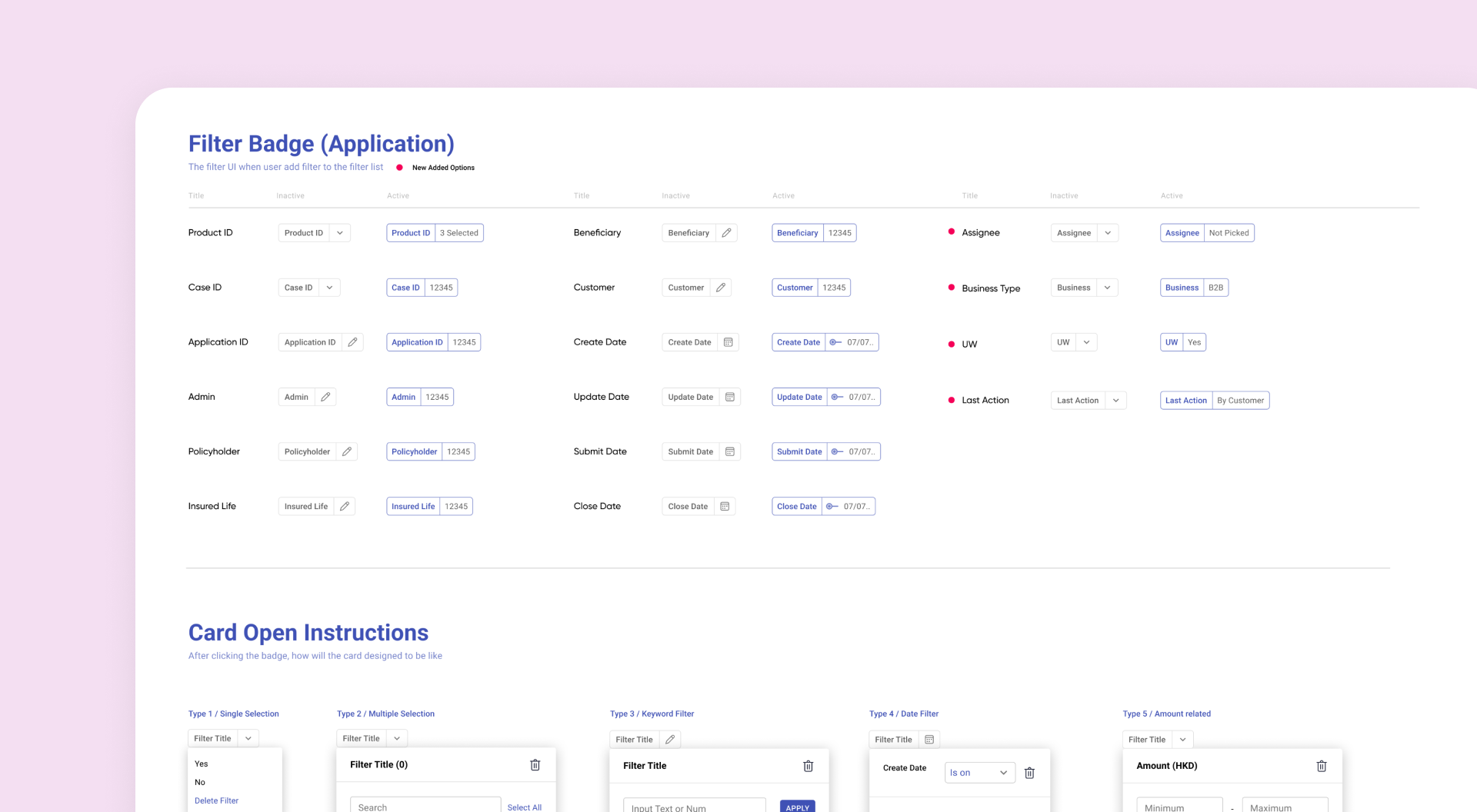
- Smart product ID search: I replaced the long, manual checklist with a searchable interface that groups product types, reducing errors and saving time.
- Saved filter groups: I introduced an in-built "Master" filter function that allows users to name and save their favorite filter combinations directly in the portal.
- Visual hierarchy: We implemented a system of badges and clear visual hints to help users immediately identify which filters are active.
Takeaways: The leverage points
Though filters are often seen as minor components, this project proved they are a significant "leveraging point" for internal processing efficiency. By bringing the "bookmarking" behavior directly into the UI, we removed the manual burden of updating external links.
This solution, while built for underwriters, laid the groundwork for a scalable filtering system that can be rolled out to all internal user types across the platform.